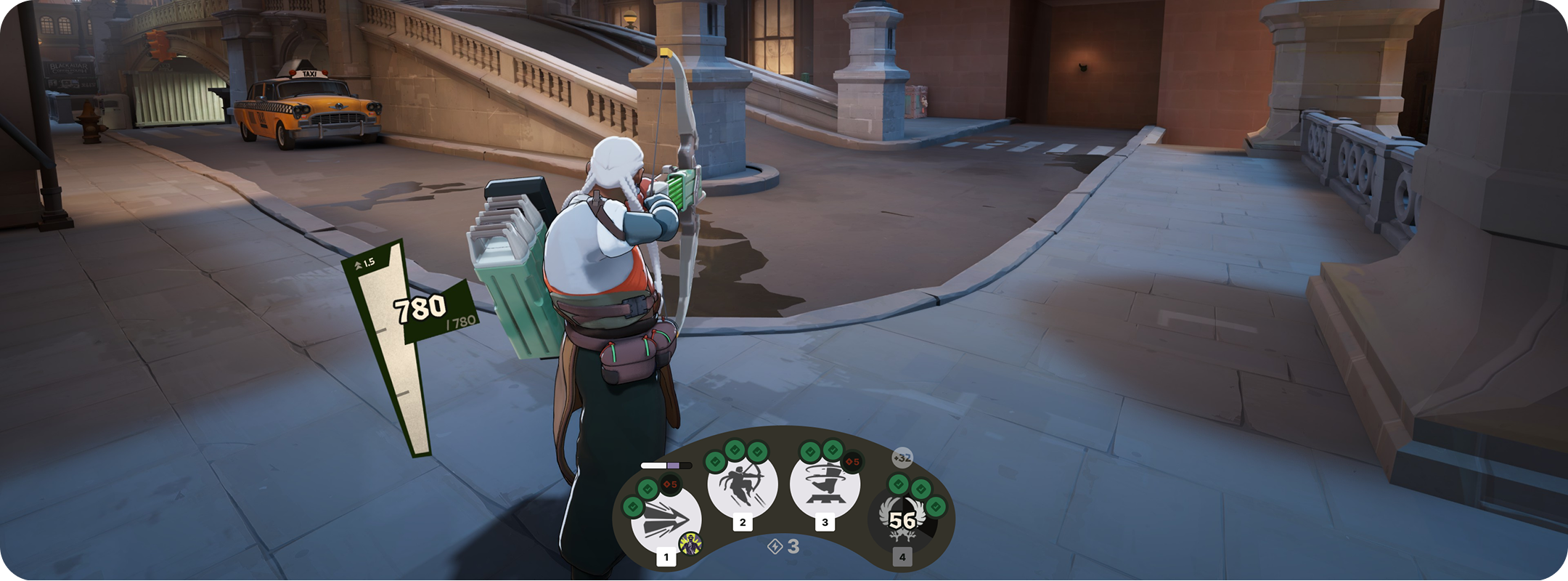
Deadlock is a hero-shooter/MOBA featuring fast-paced gameplay where two teams compete to score points, eliminate players and ultimately defeat the other team’s “patron”, or guardian of their base. As players score points, they’re able to unlock and upgrade unique abilities for their hero through menus/overlays. As a personal project, I wanted to explore how I could improve the interface and interactions of key menus frequently accessed during gameplay.
Role: As a personal project, I was responsible for all components of the redesign and its process. That said, icons, textures and gameplay assets are sourced directly from Deadlock and the Deadlock Wiki.
Currently to manage and upgrade abilities the game directs players to the TAB menu, which is overloaded with a scoreboard, player build and abilities management. The TAB menu also unlocks the player’s cursor (disengaging from gameplay) so they can hover, click and ping elements of the menu. In its current state, the TAB menu is a vital resource for certain information and actions, but adds painful friction to other actions frequently taken during fast-paced gameplay.

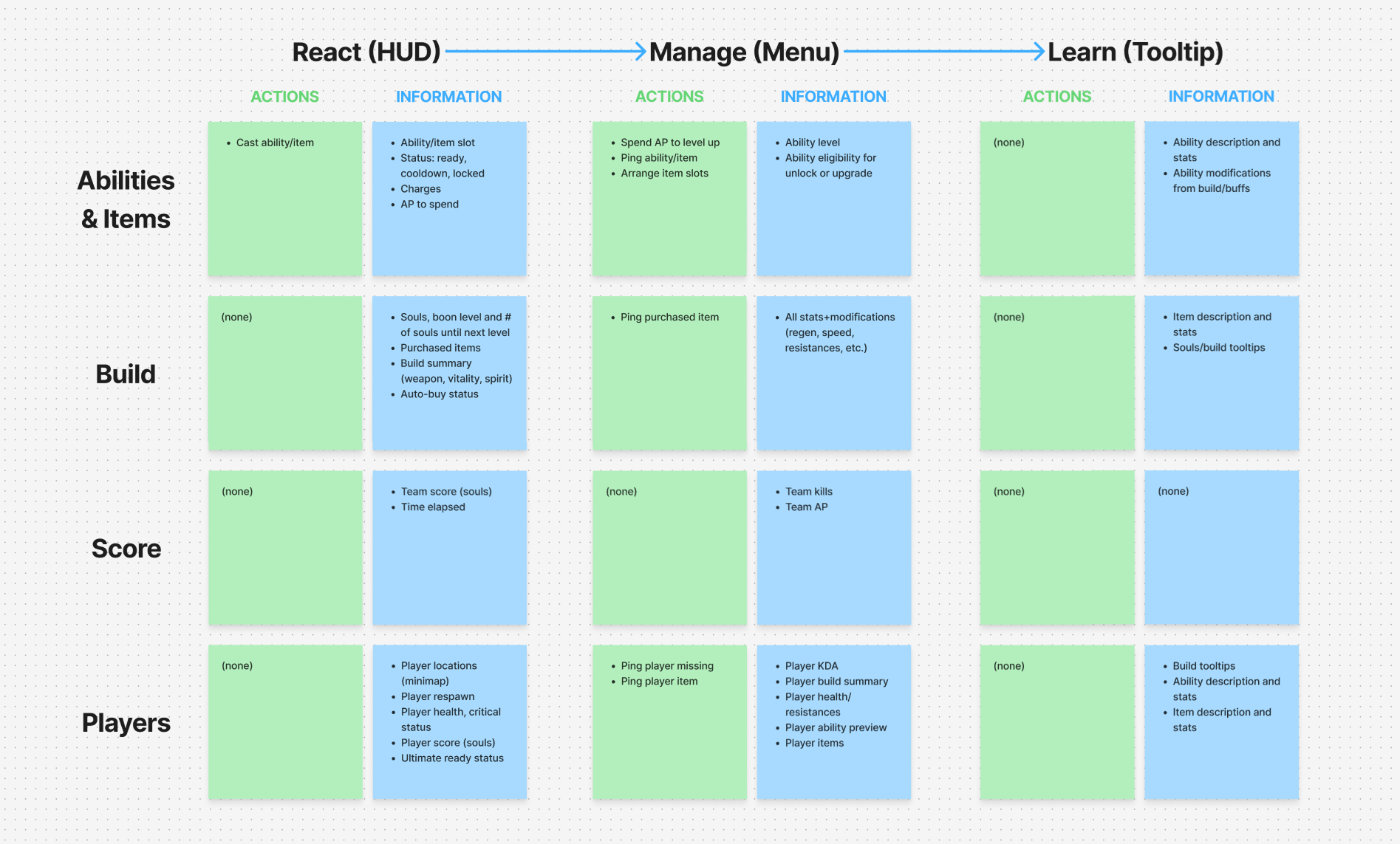
To relieve information overload and make important frequent actions like managing abilities easier, it seemed like the best solution would be to separate the scoreboard (information about the match and other players) from abilities (information/actions related to the player). I mapped and sorted all the information and actions in the current TAB menu, wireframed/prototyped solutions, and landed on a new interaction pattern that leveraged TAB for scoreboard, and ALT for character build/abilities.
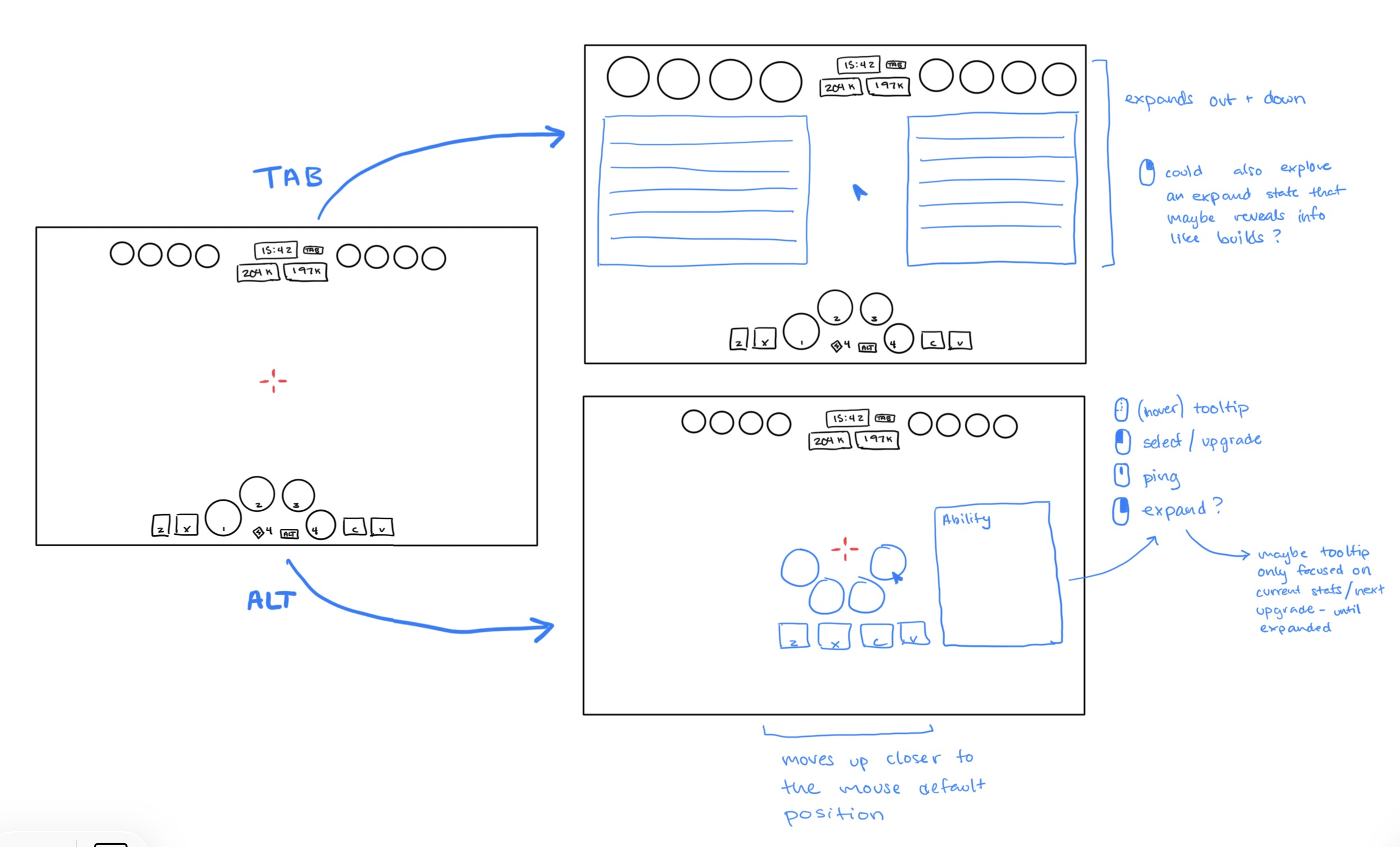
As a personal project, I didn’t have access to playtesting or stakeholder feedback, so the next best thing was to share my proposal with the Deadlock community on Reddit. That went over about as well as you’d expect. I did however learn some critical information about how other players interacted with skills during a game.
1. Most experienced players don’t actually use the TAB menu for upgrading abilities, instead using ALT as a hotkey (ex. ALT + 2), which allows them to stay engaged in the game since ALT doesn’t unlock the mouse from aiming.
2. Moving elements of the UI too much between the HUD and the TAB menu could disorient players, or lead to accidental clicks.
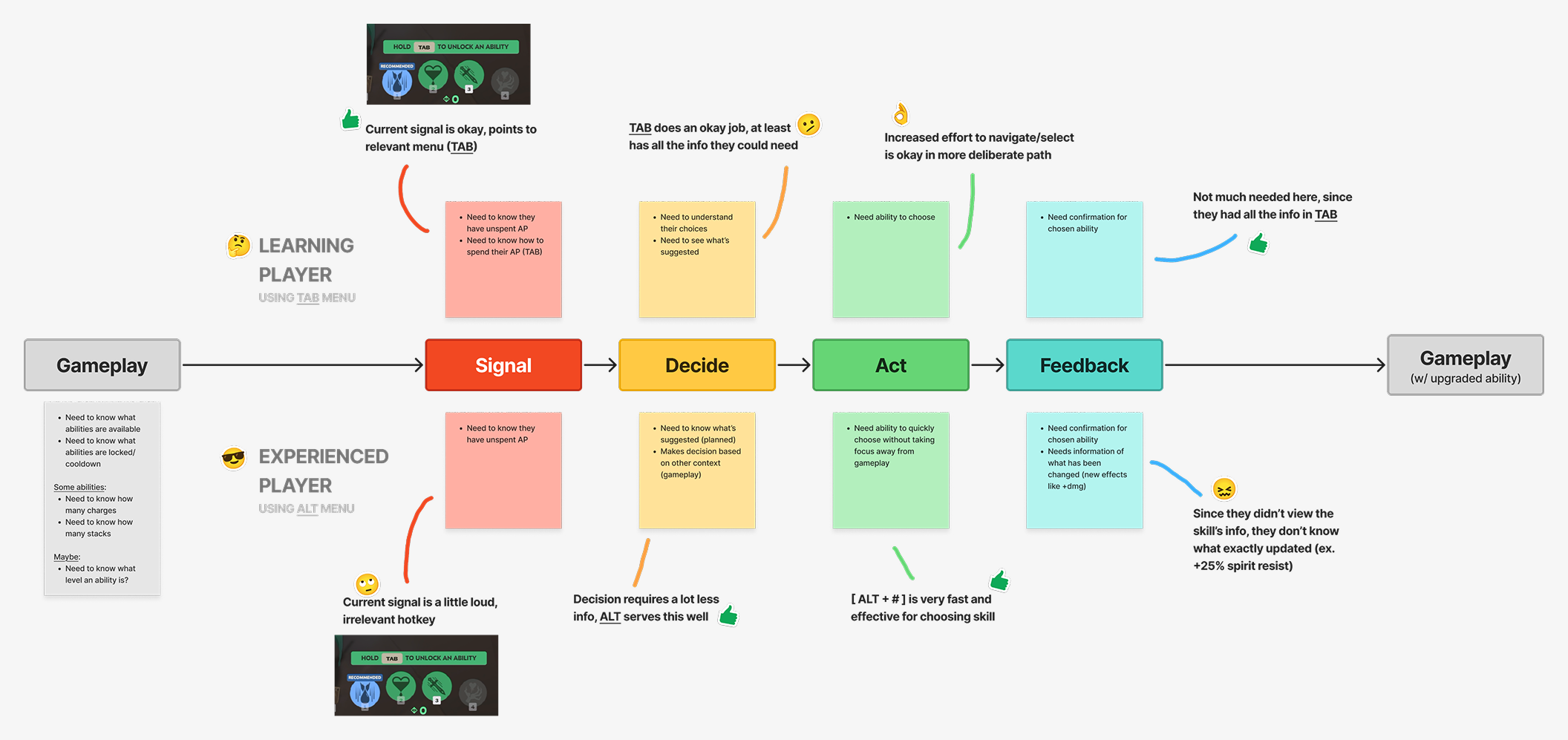
With those learnings, I realised there were two distinct groups of players who might engage with their character’s abilities differently, and have different needs requiring different solutions. I outlined the two groups, 1) Learning Players who need more information and 2) Experienced Players who don’t, then mapped out their needs at key steps of the flow for managing abilities.
Learning players:
These players are new to the game, its heroes, and their abilities. They need a lot more information about what abilities do, how they change when upgrading and what effects they can trigger.
Takeaway: The current TAB menu, while clunky to repeatedly access for fast actions, gives Learning Players all necessary information about abilities. Friction is okay for these players because details matter more.
Experienced players:
These players need much less information. They are focused on making fast selections when abilities can be upgraded based on information they already have.
Takeaway: The current ALT menu gives Experienced Players a fast way to manage abilities without taking focus off gameplay. Less friction is key for these players, however, this current UX still includes some pain points.
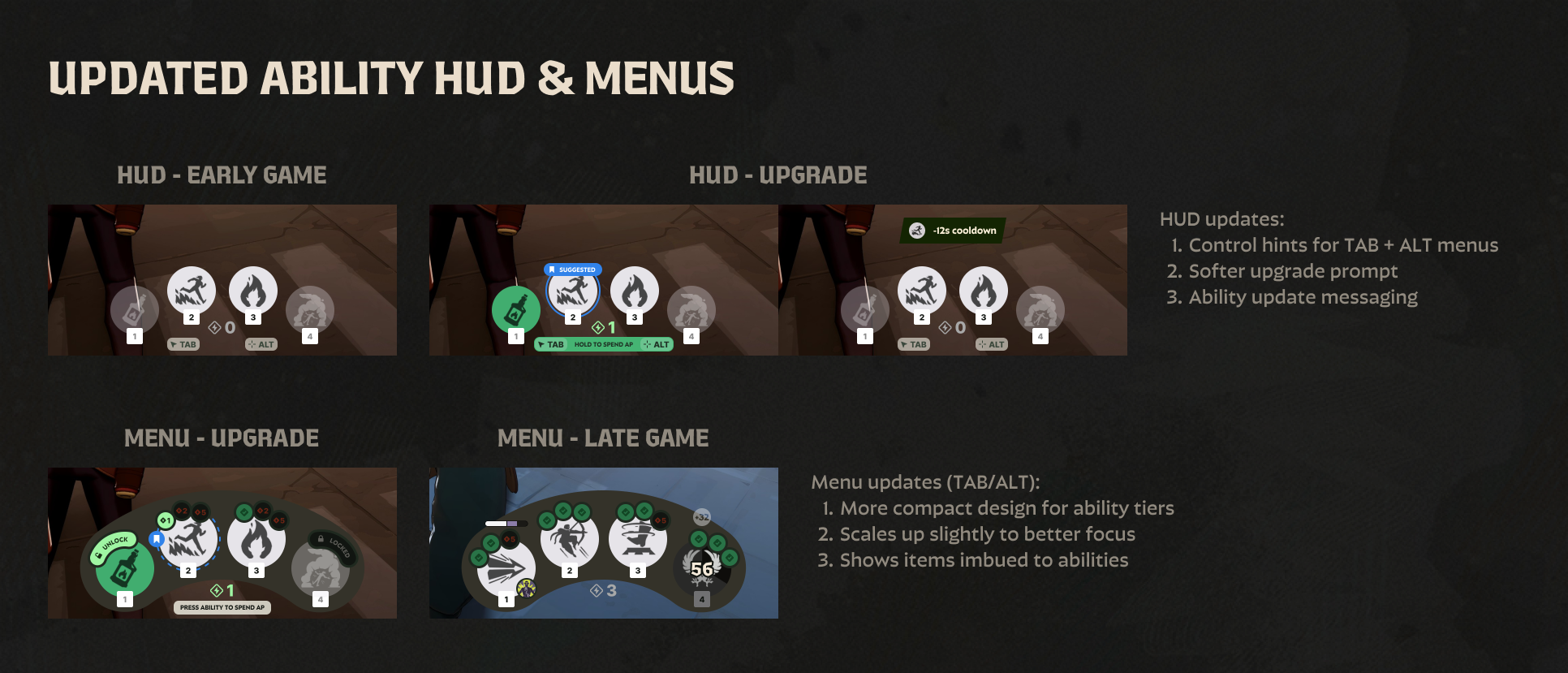
The current ALT menu (primarily used by Experienced Players) supports fast actions, however is missing some key information about abilities, has unclear affordances/messaging, and could be further minimized to keep the player's focus on fast-paced gameplay.
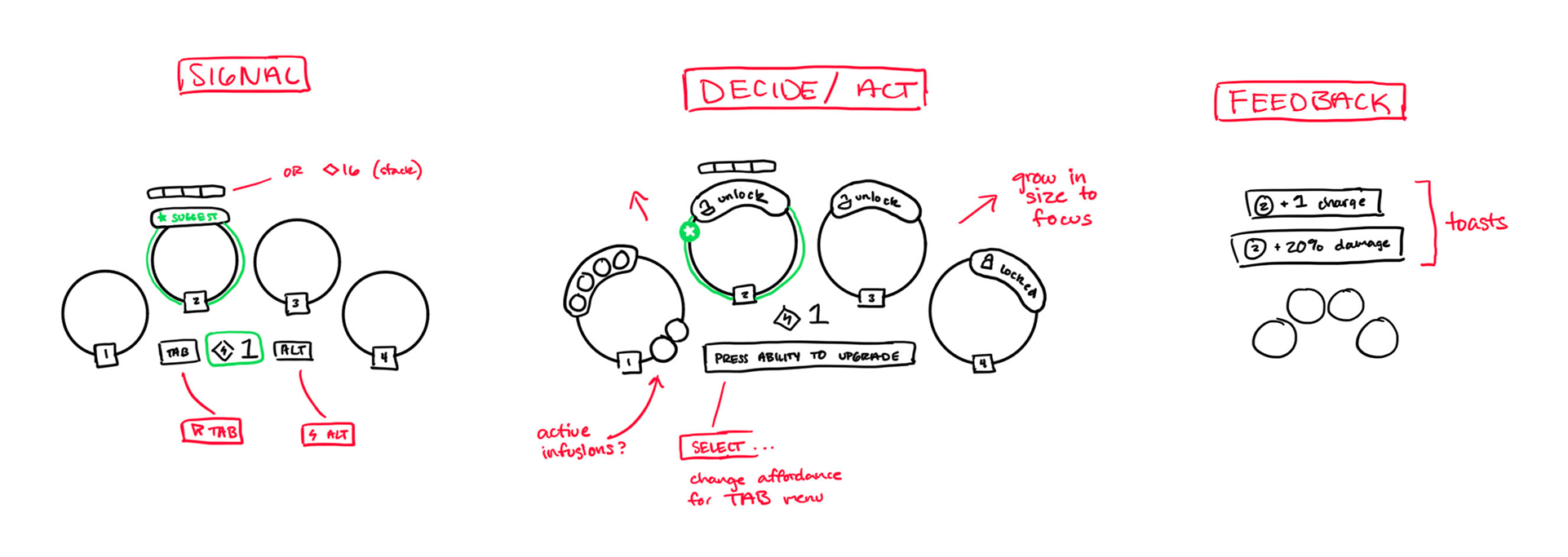
To better support the Experienced Players group, I developed some key improvements to the current ALT menu, preserving the player’s ability to stay focused on gameplay. Again my process included sketching and prototyping before landing on the best approach.
1. Clarify the entry point and give better signaling when players have AP to spend
2. Give players more at-a-glance information about their abilities in the ALT menu (like item infusions)
3. Revise the menu form factor to be more efficient with space
4. Give players better feedback when abilities are upgraded